
Recipe Schema Markup: Complete Guide to Implementation & Optimization
 schemaf1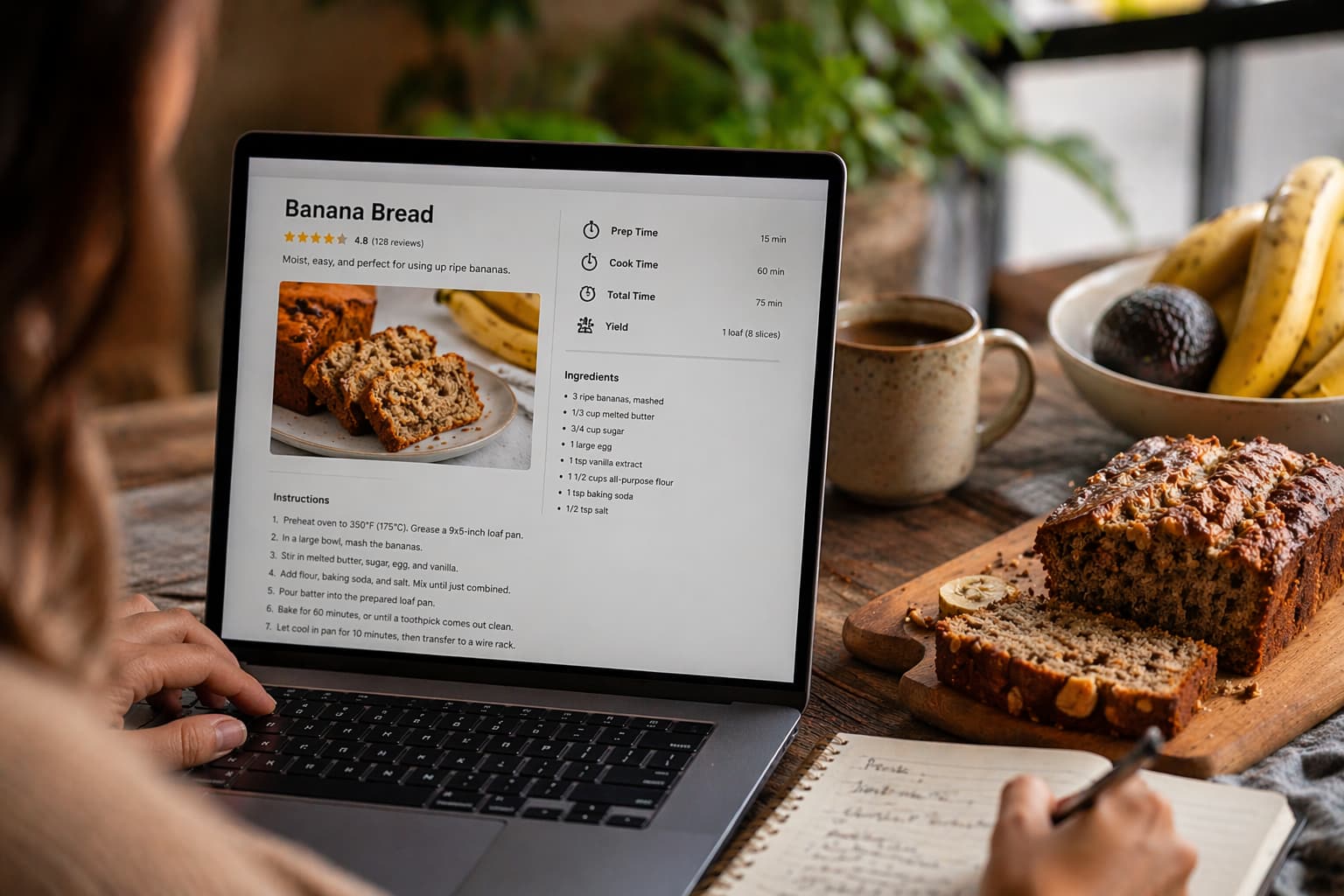
If you run a food blog or publish recipes online, getting your content seen in search results is only half the battle — standing out is the other half. Recipe schema markup is a type of structured data that helps search engines understand what your page is about at a granular level: the ingredients, cook time, ratings, and more. When implemented correctly, it can unlock rich snippets — those eye-catching search results with star ratings, images, and calorie counts that dominate the page.
This guide walks you through everything from the basics of what schema markup is to step-by-step implementation methods and optimization best practices, whether you’re a complete beginner or a seasoned developer.
What Is Recipe Schema Markup?
Example of Recipe Schema Markup (JSON-LD)
The recommended format for schema markup is JSON-LD (JavaScript Object Notation for Linked Data), which Google officially endorses. Here’s a minimal but functional example:
{

  "@context": "https://schema.org/",

  "@type": "Recipe",

  "name": "Classic Banana Bread",

  "image": "https://example.com/banana-bread.jpg",

  "author": {

    "@type": "Person",

    "name": "Jane Smith"

  },

  "datePublished": "2024-03-15",

  "description": "A moist and easy banana bread recipe made with ripe bananas.",

  "prepTime": "PT15M",

  "cookTime": "PT60M",

  "totalTime": "PT75M",

  "recipeYield": "1 loaf",

  "recipeIngredient": [

    "3 ripe bananas",

    "1/3 cup melted butter",

    "3/4 cup sugar",

    "1 egg",

    "1 teaspoon vanilla",

    "1 1/2 cups all-purpose flour"

  ],

  "recipeInstructions": [

    {

      "@type": "HowToStep",

      "text": "Preheat oven to 350°F (175°C). Mash bananas in a large bowl."

    },

    {

      "@type": "HowToStep",

      "text": "Mix in butter, sugar, egg, and vanilla. Fold in flour until just combined."

    },

    {

      "@type": "HowToStep",

      "text": "Pour into a greased loaf pan and bake for 60 minutes."

    }

  ]

}
The key fields here — name, recipeIngredient, and recipeInstructions — are the minimum required for Google to consider your recipe eligible for rich results. Everything else enriches the display.
Don’t want to write JSON-LD by hand? Use the Schemafy Recipe Schema Builder to generate valid, ready-to-paste markup in seconds — no coding required. Build Your Recipe Schema Free
Why Recipe Schema Markup Matters for SEO
Enhanced Search Results (Rich Snippets)
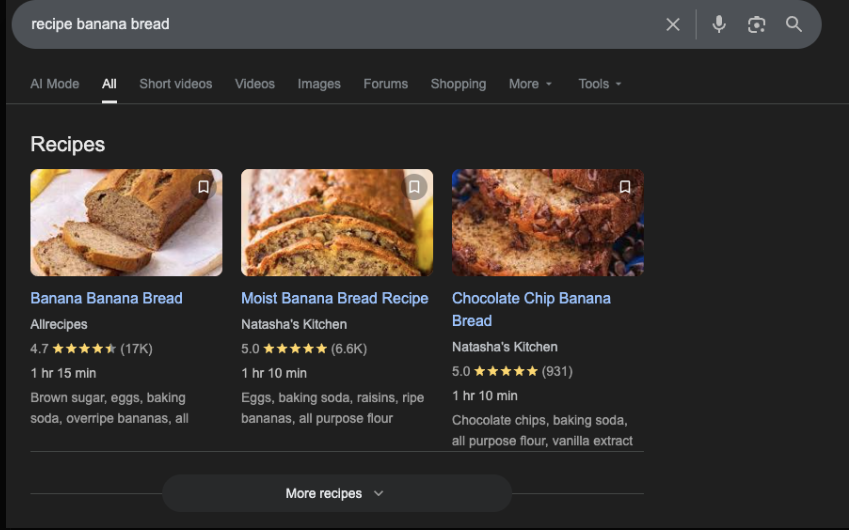
When recipe schema is implemented correctly, your search result listing can transform dramatically. Instead of a standard blue link with a brief description, your result may display star ratings, a thumbnail image, total cook time, calorie count, and even a direct link to the recipe’s steps.
These enhanced listings — known as rich snippets — take up significantly more vertical space on the search results page and draw the eye immediately, especially on mobile. For food bloggers competing in crowded niches, this visual differentiation can be the difference between a click and a scroll-past.
Improved Click-Through Rates
Rich snippets consistently outperform standard listings in click-through rate (CTR). When users see a recipe result with a 4.8-star rating, a photo of the finished dish, and a “30-minute prep” tag, they have most of their decision-making information before they even click. That confidence translates into more clicks. While precise CTR lift varies by query and niche, the general principle is well-established: more informative listings attract more engaged traffic.
Better User Experience for Food Blogs
Beyond search, recipe schema improves the on-page experience too. When users land on your recipe from a rich snippet, their expectations are pre-aligned — they already know the cook time, the rating, and roughly what the dish looks like. This reduces bounce rates from disappointed visitors and increases the likelihood of recipe saves, shares, and return visits. On mobile in particular, where food blog traffic skews heavily, structured data that surfaces key details quickly reduces friction and keeps users engaged.
Common Misconceptions About Rankings
It’s worth being direct here: recipe schema markup is not a direct ranking factor. Adding it to your page will not automatically push you to position one or guarantee a rich snippet. Google’s algorithms rank pages based on relevance, authority, content quality, and dozens of other signals.
What schema does is make your content more eligible for rich results and more understandable to search engines, which can indirectly support performance by improving CTR and user signals. Treat it as an enhancement layer, not a shortcut.
Key Elements of Recipe Schema Markup
To understand how recipe schema works, it’s important to know the key properties that define a valid and optimized recipe markup. Here’s a quick breakdown:
| Property | Type | Required | What It Does | Example |
| name | Text | ✅ Yes | Defines the recipe title | “Classic Banana Bread” |
| recipeIngredient | Array | ✅ Yes | Lists all ingredients | [“2 eggs”, “1 cup sugar”] |
| recipeInstructions | Array | ✅ Yes | Step-by-step instructions | [{“text”: “Mix ingredients”}] |
| image | URL | ❌ Recommended | Displays image in SERP | “image.jpg” |
| prepTime | Duration | ❌ Recommended | Prep time shown in snippet | “PT15M” |
| cookTime | Duration | ❌ Recommended | Cooking time | “PT60M” |
| aggregateRating | Object | ❌ Recommended | Shows star ratings | 4.8 ⭐ |
| nutrition | Object | ❌ Recommended | Shows calories info | “250 calories” |
Required Properties (Name, Ingredients, Instructions)
Google requires three properties for a recipe page to be eligible for recipe rich results:
name — The title of the recipe. This should match the H1 heading on your page and reflect what users would search for.
recipeIngredient — An array of all ingredient strings, typically written the same way they appear in the recipe body (e.g., “2 cups all-purpose flour”).
recipeInstructions — The steps of the recipe, ideally structured as individual HowToStep objects rather than a single block of text. This enables more granular display options in search results.
Without all three of these, your recipe will not qualify for the enhanced rich result treatment, even if the rest of your schema is perfectly implemented.
Recommended Properties (Ratings, Cook Time, Nutrition)
While not required, the following properties significantly improve how your rich snippet appears and how users interact with it:
aggregateRating — Displays star ratings directly in the search result. Requires both a rating value and a review count. This is one of the most impactful fields for CTR.
prepTime / cookTime / totalTime — Displayed as time badges in the snippet. Use ISO 8601 duration format (e.g., PT30M for 30 minutes).
nutrition — Calorie information can appear in rich results and is especially important for health- and diet-focused audiences.
image — A high-quality image dramatically improves snippet appearance. Google recommends images at a 16:9, 4:3, or 1:1 aspect ratio.
recipeYield — Specifies the number of servings, which users frequently want before committing to a recipe.
keywords / recipeCategory / recipeCuisine — Help Google categorize your content more precisely, which can improve discoverability in filtered search experiences.
How to Add Recipe Schema Markup (Step-by-Step)
Before jumping into the implementation, it’s important to understand when recipe schema should actually be used. Not every page qualifies — and applying it incorrectly can prevent your rich snippets from appearing or even violate Google’s guidelines.
Use the quick reference below to determine whether your page is suitable for recipe schema before proceeding with the setup.
| Page Type | Should Use Recipe Schema? | Reason |
| Recipe blog post | ✅ Yes | Matches structured data intent |
| Category page | ❌ No | Not a single recipe |
| Product page | ❌ No | Wrong schema type |
| How-to article | ⚠️ Maybe (use HowTo instead) | Depends on content |
| Homepage | ❌ No | Violates guidelines |
Method 1: Using WordPress Plugins (Beginner-Friendly)
For food bloggers and content creators without a technical background, WordPress plugins are the easiest path to implementing recipe schema. They handle the JSON-LD generation automatically and provide a clean UI for entering recipe data.
Install and Activate a Schema Plugin
Start by logging into your WordPress dashboard and navigating to Plugins → Add New. Search for your chosen plugin (options like Yoast SEO, Rank Math, or WP Recipe Maker all support recipe schema). Click Install Now, then Activate. Most plugins will prompt you with an initial setup wizard — follow the steps to configure your site’s basic information.
Add Recipe Data to Your Post
Once activated, open or create a recipe post. Depending on the plugin, you’ll find a dedicated “Recipe” block or card below the post editor or within the Gutenberg block library. Fill in the fields provided: recipe name, description, prep time, cook time, ingredients (usually one per line), and instructions (step by step). The plugin automatically converts this input into valid JSON-LD schema and injects it into the page. Save and publish — no coding required.
Ready to add recipe schema to your WordPress site in minutes? Download the Schemafy plugin and get your first rich snippet set up today. Download Schemafy for Free
Add Schema via HTML or Tag Manager
Once you have your JSON-LD block, you have two primary placement options:
Direct HTML placement — Paste the JSON-LD inside a <script type=”application/ld+json”> tag in the <head> or <body> of your page. The <head> is generally preferred for clarity, but Google can read it from anywhere on the page.
Google Tag Manager (GTM) — If you manage multiple pages or want to avoid touching templates directly, GTM is a scalable solution. Create a new tag, select “Custom HTML,” and paste your <script> block there.
Configure Triggers and Placement
In GTM, you’ll need to set a trigger that tells the tag when to fire. For recipe pages, a common approach is to trigger on Page URL — using a “contains” rule that matches your recipe URL pattern (e.g., /recipes/). This ensures the schema only loads on relevant pages and not site-wide. Test your trigger in GTM’s Preview mode before publishing to confirm it fires correctly.
Best Practices for Recipe Schema Optimization
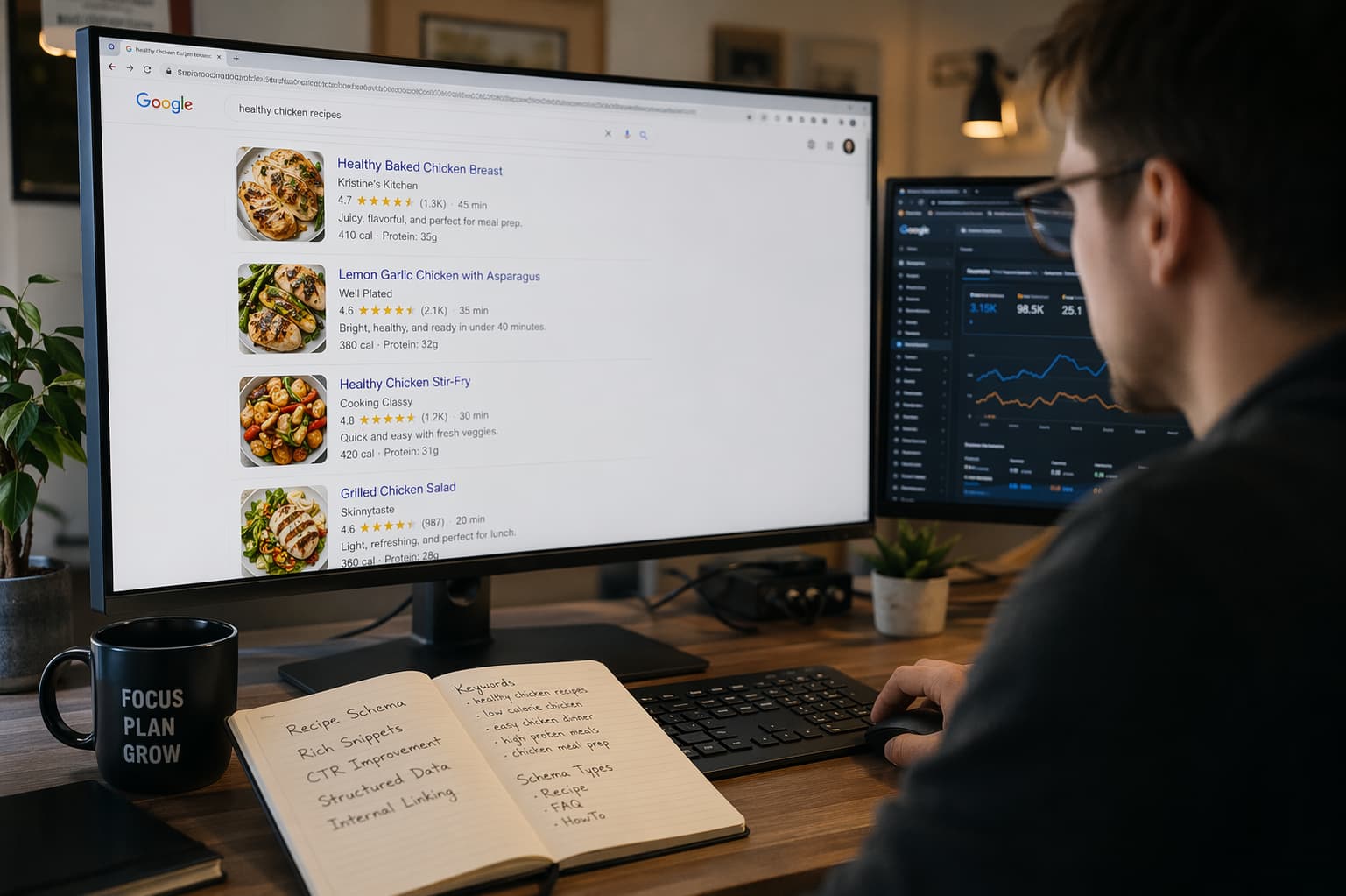
Getting schema onto the page is just the start. To consistently earn rich results and protect your site from manual actions, follow these principles:
Validate before publishing. Always run your schema through Google’s Rich Results Test before going live. Errors in required fields will prevent rich result eligibility entirely.
Keep schema in sync with page content. The information in your structured data must match what’s actually on the page. If your schema says “30 minutes prep time” but the page says “1 hour,” Google may suppress the rich result or take a manual action against the page.
Use specific, accurate ingredient strings. Vague entries like “flour” are valid but less useful than “2 cups all-purpose flour, sifted.” More specificity helps users and signals content quality.
Include high-quality images with correct aspect ratios. Google strongly recommends images at 16:9 (minimum 1200px wide), with 4:3 and 1:1 also acceptable. Blurry, low-resolution, or incorrectly sized images reduce the likelihood of visual display in snippets.
Add aggregate ratings legitimately. Only include aggregateRating if your page genuinely collects and displays user reviews. Do not hardcode fake ratings — this violates Google’s guidelines and can result in penalties.
Avoid schema on non-recipe pages. Recipe schema should only appear on pages that are genuinely recipes. Applying it to category pages, homepage sections, or unrelated content is a guidelines violation.
Monitor performance in Google Search Console. The Enhancements section in Search Console shows recipe rich result coverage, errors, and warnings across your site. Check it regularly, especially after publishing new content or making template changes.
Conclusion: Getting the Most Out of Recipe Schema Markup
Recipe schema markup is one of the highest-leverage technical SEO investments a food blogger or recipe publisher can make. It costs relatively little time to implement — especially via a plugin — and the potential upside in search visibility, click-through rate, and user experience is substantial. It won’t override weak content or poor site authority, but on a well-optimized page, it can be the finishing touch that elevates your listing above competitors.
Next Steps for Implementation
If you haven’t added recipe schema yet, start with a single high-traffic recipe page. Implement the markup, validate it with the Rich Results Test, and submit the URL for (re)indexing in Google Search Console to speed up recognition. Monitor the Enhancements report over the following weeks to confirm the rich result is eligible and appearing.
Once you’re confident in the process, roll it out systematically across your recipe archive. Prioritize pages with existing strong content, good backlinks, and organic traffic — these are most likely to see immediate rich snippet gains.
Frequently Asked Questions (FAQs)
Does recipe schema markup actually improve Google rankings?
Recipe schema markup is not a direct ranking factor — Google has confirmed this. It does not cause your page to rank higher on its own. However, by enabling rich snippets with star ratings, images, and cook time, it can meaningfully improve your click-through rate.
Why isn’t my recipe schema showing as a rich snippet in Google?
Several factors can prevent rich snippet display: missing required fields (name, recipeIngredient, recipeInstructions), invalid markup flagged in the Rich Results Test, low overall page quality, or Google simply choosing not to show it for a given query. Start by validating your schema at search.google.com/test/rich-results.
What is the difference between recipe schema and HowTo schema?
Recipe schema is designed specifically for food content — it includes fields for ingredients, cook time, nutrition, and yield. HowTo schema is for step-by-step instructional content across any topic (e.g., “How to change a tire,” “How to paint a room”).
How long does it take for recipe rich snippets to appear after adding schema?
There’s no guaranteed timeline. Google needs to recrawl and reindex your page before rich results can appear, which typically takes anywhere from a few days to several weeks depending on your site’s crawl frequency.
Can I use recipe schema on a page that isn’t a food recipe?
No. Google’s guidelines are explicit: structured data must accurately describe the content of the page. Applying recipe schema to a non-recipe page — a product page, a blog post, a landing page — is a misuse of structured data and violates Google’s policies.
Yoast vs. Rank Math vs. WP Recipe Maker vs. Schemafy — which is best for recipe schema?
Yoast and Rank Math offer basic recipe schema as part of a broader SEO toolkit. WP Recipe Maker handles recipe-specific needs well. But if you want the best dedicated schema plugin — one built exclusively for structured data, with full flexibility across all schema types — Schemafy is the clear choice.Share
¿Tu sitio ya tiene Schema Markup?
Genera structured data con IA, valida en tiempo real y mejora tus rich snippets — todo desde WordPress, sin tocar código.
- ✓ 17 tipos de schema
- ✓ Plan Free para siempre
- ✓ Compatible con WordPress 6.x