
Crawling vs Indexing: What’s the Difference (and Why Your Pages Get Stuck)
 By Eddie Casas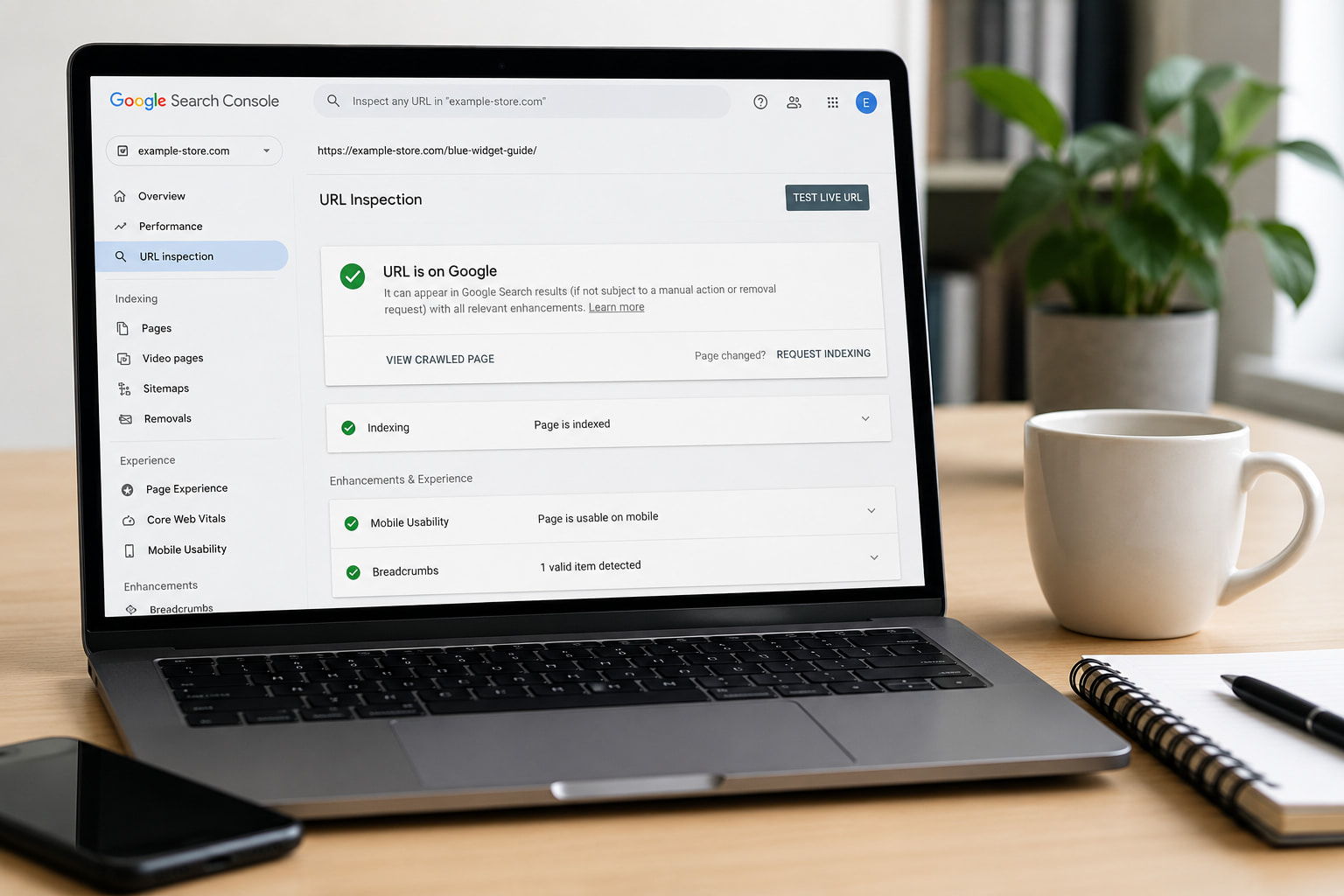
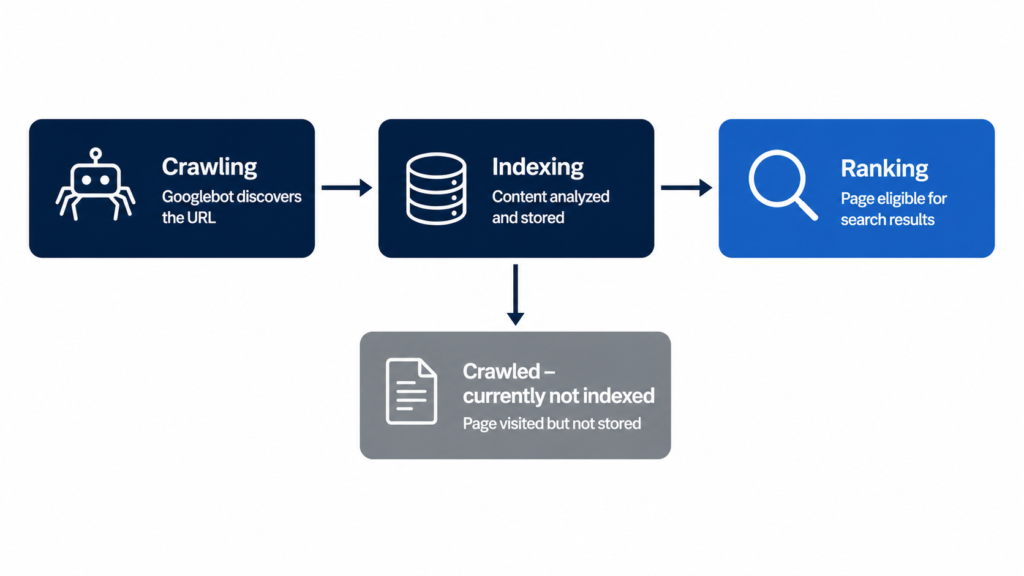
Crawling is how Google discovers your pages; indexing is how it stores them and decides whether to show them in search results. A page can be crawled and still never get indexed, and that gap is exactly where traffic dies. This guide covers the difference in about 2 minutes, then gets to the useful part: diagnosing and unsticking pages that Google visited but refused to index.
- What Is Crawling in SEO?
- What Is Indexing in SEO?
- Crawling vs Indexing: The Key Differences at a Glance
- “Crawled – Currently Not Indexed”: Why Google Skips Pages
- How to Get Your Pages Crawled and Indexed Faster
- Do AI Crawlers Work the Same Way? (GPTBot, ClaudeBot & Friends)
- Make Every Page Machine-Readable Before Google Decides
- FAQs About Crawling and Indexing
What Is Crawling in SEO?
Crawling is the discovery process. Bots like Googlebot and Bingbot (also called crawlers or spiders) follow links and read sitemaps to find new or updated URLs. Think of a librarian walking the aisles noting which books exist: nothing is evaluated yet, only discovered.
Google’s own documentation describes this as the first of three stages, crawling, indexing, and serving, and warns that not every page makes it past each stage (source: How Google Search Works).
One more constraint worth a line: crawl budget. On large sites, Google doesn’t crawl everything. If you run thousands of programmatic URLs, some of them simply wait their turn.
What Is Indexing in SEO?
Indexing is what happens after the visit. Google analyzes the crawled content, the text, the title, alt attributes, structured data, then decides whether to store the page in its index.
Treat indexing as a quality filter, not a formality. Only indexed pages can rank. During this stage Google also determines whether a page is a duplicate or the canonical version, and only the canonical is eligible to appear in results (source: How Google Search Works).
Indexing is also where Google processes your structured data and your meta description in WordPress, along with the rendered HTML and the site’s quality signals. Everything the indexer can’t parse cleanly counts against clarity.
Crawling vs Indexing: The Key Differences at a Glance
Here is the whole distinction in one table:
| Aspect | Crawling | Indexing |
|---|---|---|
| Purpose | Discovering new and updated URLs | Storing and evaluating content |
| Done by | Crawlers (Googlebot, Bingbot) | Google’s indexing systems |
| Order | First step | Second step, after crawling |
| Frequency | Continuous | Re-evaluated after each crawl |
| What improves it | Internal links, clean sitemaps | Content quality, uniqueness, clarity |
| Result | URL known to Google | Page eligible to rank |
The practical takeaway: crawling problems are architecture problems. Indexing problems are quality problems. Fixing the wrong one wastes your sprint.
“Crawled – Currently Not Indexed”: Why Google Skips Pages
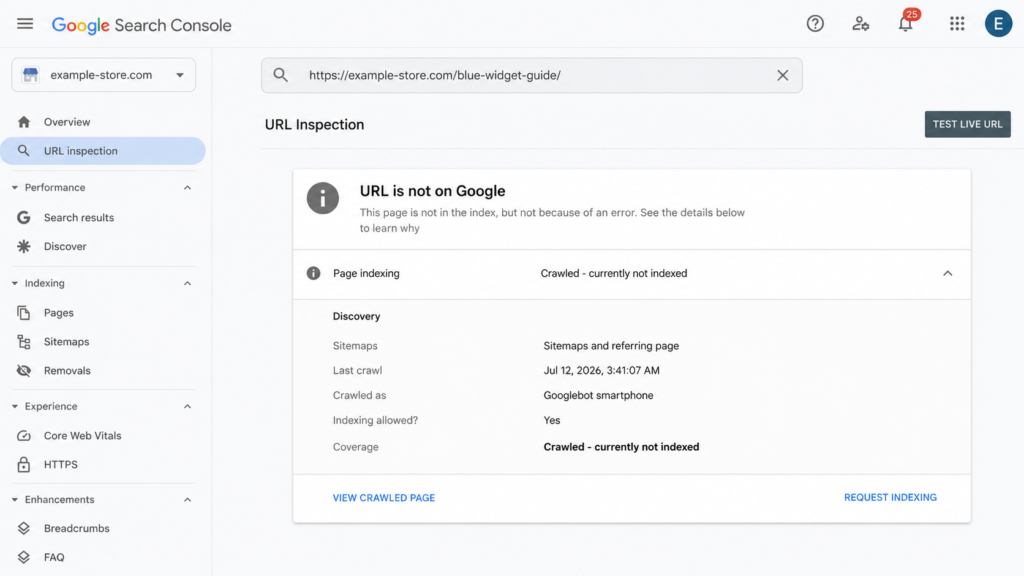
Crawled – currently not indexed is the Google Search Console status behind most “why isn’t my page ranking” questions. It means exactly what it says: Googlebot visited the page, evaluated it, and decided it wasn’t worth a spot in the index. For now.
The status is not permanent and it is not a bug. It’s a documented, massive-scale quality decision, covered in depth by Onely and SEOTesting. Improve the page and Google can re-evaluate it on a future crawl.
The most common causes
Five patterns account for most of these exclusions:
- Thin or duplicate content: pages that add nothing the index doesn’t already have.
- Barely-edited AI content at scale: the number one trigger in 2026; volume without editing reads as noise.
- Orphan pages: no internal links pointing at them, so nothing signals they matter.
- Low site-wide quality perception: weak sections drag down Google’s appetite for the rest.
- Rendering problems: content that never appears in the rendered HTML can’t be evaluated.
Two more patterns show up in the documented cases: conflicting indexing signals (a canonical tag pointing one way while internal links point another) and pages that were indexed in the past and then quietly dropped when Google re-evaluated them.
None of these are edge cases. They are the standard failure modes documented across the industry guides linked above. Each one has a visible symptom in Search Console, which is why the next step is always the same: inspect the exact URL and read what Google actually saw.
How to check any page in Google Search Console
- Paste the full URL into URL Inspection.
- Read the verdict: indexed, or one of the “not indexed” statuses.
- Click View Crawled Page and compare the rendered HTML against what you see in the browser. Missing content here means a rendering problem, not a quality problem.
- Improve the page first, then click Request Indexing (see Google’s guide to asking for a recrawl). Requesting indexing without changing anything does nothing.
How to Get Your Pages Crawled and Indexed Faster
Two levers, and they are different levers. Crawling is fixed with architecture. Indexing is fixed with quality plus clarity. The four fixes below split cleanly along that line.
Match the fix to the status you’re seeing. “Discovered, currently not indexed” and slow first crawls point at the architecture side: links and sitemaps. “Crawled, currently not indexed” points at the quality side: content and clarity. Working the wrong lever is the most common way to lose a month on this.
Fix your internal linking
Internal links from strong pages do two jobs at once: they give crawlers a discovery path and they signal that the linked page matters. “Strong” means pages that already rank or attract links: your homepage, your top guides, your category hubs. A practical rule: no page more than 3 clicks from the homepage, and zero orphans.
Programmatic sites deserve a special warning. Templates generate orphan pages in bulk, and a clean SEO slug won’t rescue a page nothing links to. Breadcrumbs help too: they hand crawlers your architecture on a plate.
Submit and clean your XML sitemap
Your sitemap is a priority list for the crawler, so treat it like one. Only indexable URLs belong in it: no redirects, no 404s, no noindexed pages. Submit it in Search Console.
One tactic worth knowing: a temporary sitemap containing only your stuck URLs. It concentrates crawler attention on exactly the pages you want re-evaluated.
Cut thin and duplicate content
Consolidate near-identical pages: add a canonical tag or merge them outright. Delete pages with no search value at all.
The honest version of this advice: if a page doesn’t deserve to be in Google, Google already decided that for you. The status report is the receipt.
Add structured data so Google understands the page
Schema markup doesn’t force indexing. Nobody can promise that. What it does is remove ambiguity: it tells the indexer exactly what the page is (a Product, an Article, a FAQPage, a LocalBusiness) and makes it eligible for rich results. Google states directly that it “uses structured data that it finds on the web to understand the content of the page” (source: Google Search Central), and its own case studies on that page report results like Rotten Tomatoes measuring a 25% higher click-through rate on pages with structured data, and Nestlé measuring an 82% higher click-through rate on pages showing as rich results.
If you’d rather not hand-write JSON-LD, Schemafy generates it for 16 schema types and verifies the output with Google’s Rich Results Test; the full walkthrough is in our guide on how to use schema markup, and there’s a free schema markup generator if you want to test a page right now.
Do AI Crawlers Work the Same Way? (GPTBot, ClaudeBot & Friends)
AI answer engines run their own crawlers, and they inherit the same two-step problem: first discover the page, then understand what it is.
OpenAI operates 3 separate crawlers, each with its own job: GPTBot for model training, OAI-SearchBot for ChatGPT search, and ChatGPT-User for live fetches during a conversation (source: OpenAI crawler documentation). Anthropic’s ClaudeBot honors robots.txt and is controlled with its own User-agent: ClaudeBot directive (source: Anthropic); Anthropic also runs separate search and user-request bots, and each one needs its own robots.txt line (via Search Engine Journal). Perplexity’s PerplexityBot rounds out the list you’ll see most often in server logs.
The separation matters in practice. You can allow OAI-SearchBot so your pages can show up in ChatGPT’s search answers while disallowing GPTBot to keep your content out of training data, and OpenAI notes that robots.txt changes take roughly 24 hours to propagate to its systems (source: OpenAI crawler documentation). The same logic applies to Anthropic’s three bots: allowing ClaudeBot does nothing for Claude-SearchBot or Claude-User.
There’s no classic Google-style index behind these engines, but there is retrieval, and an ambiguous page gets skipped either way. A page these bots can fetch but can’t classify is in the same position as a page Google crawls but doesn’t index: technically visible, practically invisible. This is the core idea behind generative engine optimization: the same clarity that earns you indexing earns you citations.
The efficient part: the JSON-LD you write for Google is the same signal these engines parse. You build it once and it covers both. Two practical checks: confirm your robots.txt isn’t blocking these user agents by accident, and remember that allowing one bot from a vendor does nothing for its siblings.
Make Every Page Machine-Readable Before Google Decides
Crawling is getting found. Indexing is getting understood and stored. The first is fixed with links and a sitemap; the second, with clear, machine-readable content.
That second half is what Schemafy does: it generates valid schema across your whole site (from a template, with AI, or in bulk), verifies it with Google’s Rich Results Test, and runs alongside Yoast and Rank Math. Can we promise indexing? No. But a page Google can’t understand is a page Google can skip.
Does your site already have Schema Markup?
Generate structured data by template, with AI or in bulk, and verify it with Google's Rich Results Test — all from WordPress, no code.
- ✓ 16 schema types
- ✓ Free plan, forever
- ✓ Keeps Yoast / Rank Math
FAQs About Crawling and Indexing
What happens first, crawling or indexing?
Crawling always happens first. Googlebot has to discover a URL, through links or your sitemap, before Google can analyze and store it. Indexing is the second step, where Google evaluates the crawled content and decides whether it’s worth adding to its index. No crawl, no index.
Can a page be crawled but not indexed?
Yes, and it’s common. Google Search Console reports it as “Crawled – currently not indexed”: Googlebot visited the page but decided it didn’t add enough value to store. Thin content, duplicates, and weak internal linking are the usual causes. It’s not permanent. Improve the page and Google can re-evaluate it.
How long does it take Google to index a new page?
Anywhere from a few hours to several weeks. Sites with strong authority and frequent updates get crawled and indexed faster. You can speed things up by linking to the new page from important pages, including it in your sitemap, and requesting indexing via URL Inspection in Search Console.
How do I check if my page is indexed?
Paste the full URL into the URL Inspection tool in Google Search Console. It tells you whether the page is indexed and why not if it isn’t. For a quick check without Search Console, search site:yourdomain.com/your-page on Google: if it appears, it’s indexed.
Does schema markup help with indexing?
Schema markup doesn’t force Google to index a page, but it removes ambiguity: it tells the indexer exactly what the page is, a product, an article, a local business. Google confirms it uses structured data to understand pages, and clearly understood pages are eligible for rich results.
Eddie Casas built the first version of Schemafy himself, rough and vibe-coded, to fix a problem he kept hitting in his own SEO work: structured data that took too long to do right. Once the idea proved out, he brought in engineer Fabián Tinjacá to rebuild it into the plugin it is today. He now leads growth, SEO and content at Schemafy, and runs QA on every release before it ships. He is also the founder of TheBaseo, an SEO and AEO agency, so the playbooks on this blog are the ones he runs on real sites, not theory. His take: most schema advice online is written by people who have never had to apply it across hundreds of live pages. Eddie writes for the operator who has.