
What Is URL Rating (UR)? Ahrefs’ Page-Level Authority Metric, Explained
 By Eddie Casas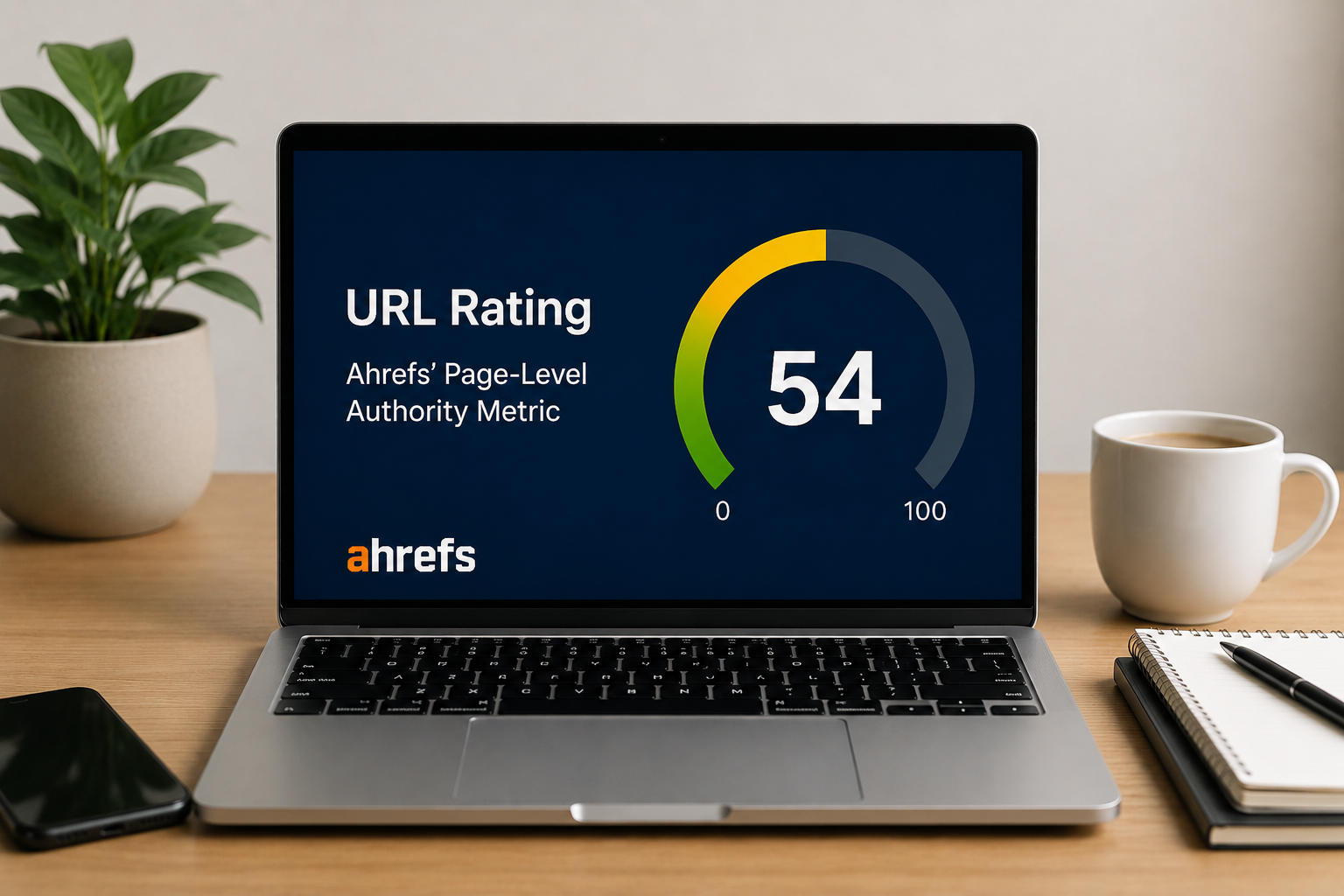
URL Rating (UR) is the 0 to 100 score Ahrefs attaches to every page, and it gets misread more than any other metric in the tool. This guide covers what UR actually measures, the three calculation rules Ahrefs documents publicly, and the one lever that raises it for free: internal links.
- What is URL Rating?
- How Ahrefs calculates UR
- URL Rating vs Domain Rating: what’s the difference?
- What is a good UR score?
- Does URL Rating affect Google rankings?
- How to check the UR of any page
- How to increase your URL Rating
- High UR is only half the battle: make Google understand the page
- FAQs about URL Rating
- Final thoughts
What is URL Rating?
URL Rating (UR) is an Ahrefs metric that measures the strength of a single page’s backlink profile on a logarithmic scale from 0 to 100. It is a third-party metric, not a Google ranking factor, and it works on principles similar to Google’s PageRank (Ahrefs SEO Glossary).
Two clarifications before anything else. Google does not use UR, or any Ahrefs metric, to rank pages. And UR is strictly page-level: it scores one URL, not the domain it lives on.
That page-level focus is what makes it useful. When you need a fast read on how much link equity a competing URL has earned, through backlinks and other off-page SEO signals, UR is the quickest proxy available.
How Ahrefs calculates UR
Ahrefs doesn’t publish the exact UR formula. It does document the rules, and the calculation follows the same principles as PageRank: counting links between pages, weighting them differently, and applying a damping factor (Ahrefs’ SEO metrics glossary).
Three of those rules change how you should act on the metric.
Only dofollow links pass UR
Ahrefs states it plainly: “Only ‘dofollow’ links pass UR” (Ahrefs). Links tagged nofollow, sponsored, or UGC transfer nothing.
The practical implication: 100 nofollow mentions from press coverage won’t move your UR. Five dofollow links from strong pages will.
That doesn’t make nofollow links worthless. They still send referral traffic and help discovery. They just don’t feed this metric.
Internal links count too
Ahrefs confirms that “both internal and external backlinks are taken into account when calculating URL Rating (although ‘weighted’ differently)” (Ahrefs).
Half the articles ranking for this topic mention that in passing. Almost none draw the conclusion: internal links affect UR but do not affect DR, which makes them the only UR lever you control 100%, at zero cost.
Link from your highest-UR page to the page you want to push, and that page’s UR benefits. No outreach, no budget, no waiting on a journalist. The step-by-step is in the how to increase section below.
The scale is logarithmic
Moving from UR 10 to 20 takes far less link equity than moving from 60 to 70. Each step up the scale gets progressively harder.
The benchmarking consequence: never compare absolute deltas across different ranges. A competitor jumping from UR 55 to 60 gained far more equity than your page moving from 15 to 20, even though both moved 5 points.
URL Rating vs Domain Rating: what’s the difference?
Both metrics run on a 0 to 100 logarithmic scale. The difference is scope, and it changes what each one is for.
| Aspect | URL Rating (UR) | Domain Rating (DR) |
|---|---|---|
| Scope | One page’s backlink profile | The whole domain’s backlink profile |
| Internal links | Count toward UR | Don’t count toward DR |
| Typical use | Sizing up a competing URL in the SERP | Vetting a domain for link building |
| Speed of change | Faster: page-level links and internal linking move it | Slower: needs new referring domains |
| Can one exceed the other? | A viral page’s UR can top its domain’s DR | A DR 80 site can host UR 0 pages |
The table’s last row deserves emphasis because it trips people up in both directions. A DR 80 domain routinely publishes new pages that start at UR 0 to 5: domain authority is not inherited per page.
The inverse also happens. A page that goes viral and attracts dozens of dofollow links of its own can carry a UR higher than its domain’s DR. Free tools and data studies do this constantly.
In practice, SEOs use UR to evaluate specific competing URLs in a SERP and DR to qualify domains during link prospecting. Different questions, different metric.
What is a good UR score?
As a rough rule: UR 20+ is decent, and UR 40+ indicates a strong page-level backlink profile.
Treat those numbers as loose calibration, not targets. The only benchmark that matters is the UR of the pages ranking in the top 5 for your keyword. If the top 5 sits at UR 8 to 15, a UR 25 page is heavily armed. If the top 5 sits at UR 60+, UR 40 is underpowered.
No UR value guarantees a ranking. The metric is relative by design, the same argument Ahrefs makes about judging DR in its own documentation. Check your SERP first, then decide whether the page needs more equity.
Does URL Rating affect Google rankings?
No. UR is not a ranking factor. Google doesn’t consume Ahrefs metrics, and no third-party score sits in the algorithm.
But the correlation is real and documented:
“Our studies show that the URL Rating has a clear positive correlation with Google rankings.” (Ahrefs SEO Glossary)
The explanation is unglamorous. UR approximates what PageRank measures, so pages with strong link equity tend to score high on both. Ahrefs is careful with the same nuance on its authority studies, noting its 218,713-domain correlation study “does not prove causation.” Even Google’s John Mueller, while denying “domain authority” as a factor, has acknowledged a sitewide score that “maps to similar things” (via Ahrefs).
So read it this way: links are the cause, UR is the summary. Build the links, and both UR and your organic traffic tend to follow.
How to check the UR of any page
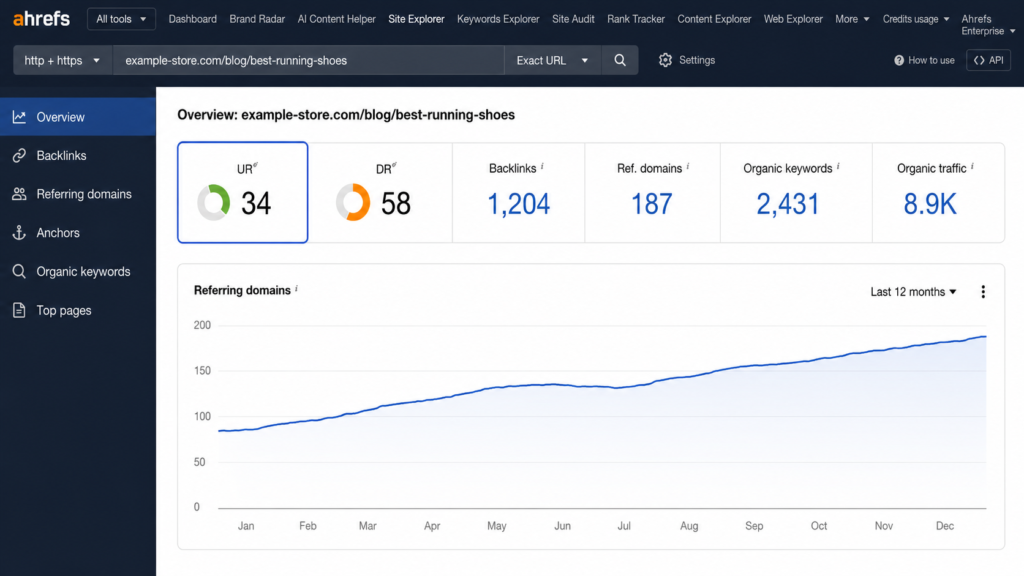
If you pay for Ahrefs, paste any URL into Site Explorer and UR appears at the top of the Overview. For competitor spying, the SERP overview inside Keywords Explorer lists the UR of every top-ranking result for a keyword, which turns benchmarking the top 5 into a ten-second job.
Without a subscription, the Ahrefs SEO Toolbar browser extension paired with a free Ahrefs account shows DR and UR for any page you visit. Note that Ahrefs’ free Website Authority Checker returns domain-level DR, not page-level UR.
How to increase your URL Rating
There are two levers: one free (internal links) and one that costs time or money (backlinks). Internal linking comes first here deliberately, because it’s the one you can pull this afternoon, ideally as part of a broader plan to improve SEO on your website.
Strengthen your internal linking
Since internal links pass UR, the most actionable fix is redistributing equity you already own:
- Open the Best by links report in Ahrefs Site Explorer, sorted by UR, to find your strongest pages.
- Add contextual dofollow links from those pages to the page you want to push.
- Keep the target page within 3 clicks of the homepage.
- Re-check UR after the next Ahrefs crawl update.
Pages buried 4+ clicks deep receive little internal equity and are slower to get discovered, a problem that overlaps with crawling and indexing issues. Contextual links from body copy beat footer or sidebar links, which is exactly the pattern the weighting rewards.
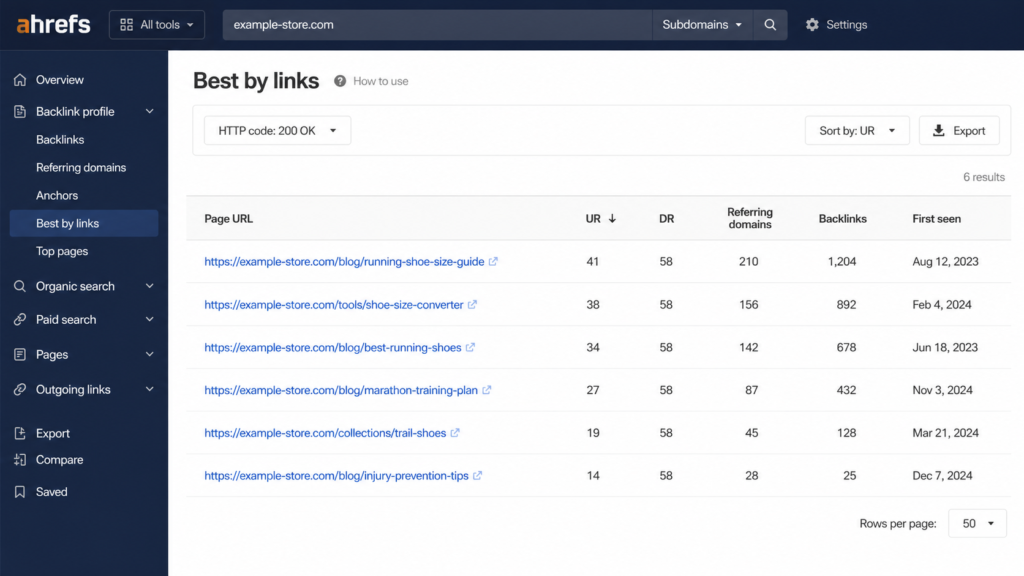
Caption: Best by links sorted by UR reveals which pages have equity to spare: the top three here are the donor pages for internal links.
Earn quality backlinks to the page
The paid-in-effort lever. The tactics that reliably earn dofollow links to a specific page are the unglamorous ones: linkable assets (original data, free tools, reference guides), digital PR, and broken link building.
The evidence favors focusing here: across roughly 920 million pages studied, Ahrefs found the number of referring domains to a page is the strongest correlating backlink factor for rankings (Ahrefs).
One filter before you celebrate any placement: only dofollow links pass UR. A nofollow mention in a major publication may be great for the brand, but it won’t move this metric. No tactic here works on a predictable timeline, and anyone promising one is selling something.
Fix broken links and redirect chains
Equity leaks. When links point at 404s, or pass through chains of redirects before reaching the destination, part of the value never arrives at the page.
Crawl the site with Ahrefs Site Audit (or your crawler of choice), consolidate redirect chains into single 301s, and repoint internal links straight at final URLs. It’s the same hygiene that helps you fix common SEO issues and optimize crawl budget, and it protects the equity you already earned.
High UR is only half the battle: make Google understand the page
UR tells you how much authority a page has accumulated. It says nothing about whether search engines understand what the page is. That job belongs to structured data: the JSON-LD markup that tells Google and AI engines whether your URL is a product, a review, an FAQ, or a how-to, and makes it eligible for rich results and AI citations.
A page with UR 45 and no schema competes as one more blue link.
If your pages run on WordPress, Schemafy generates valid JSON-LD across 16 schema types without writing code, and you can verify the output with Google’s Rich Results Test. Pair the authority you’ve built with markup that machines can parse; how to use schema markup covers the implementation side. Learn more at schemafy.net.
FAQs about URL Rating
Is URL Rating a Google ranking factor?
No. URL Rating is a third-party metric created by Ahrefs, and Google doesn’t use it. However, UR approximates the same link signals Google’s PageRank measures, which is why Ahrefs’ studies show a clear positive correlation between higher UR and better organic rankings.
What is the difference between UR and DR?
UR (URL Rating) measures the backlink strength of a single page, while DR (Domain Rating) measures the strength of an entire domain’s backlink profile. Internal links affect UR but not DR, so a strong site can still have individual pages with very low UR.
What is a good URL Rating?
As a rough benchmark, a UR of 20+ is decent and 40+ indicates a strong page-level backlink profile. The more useful benchmark is competitive: check the UR of the pages ranking in the top 5 for your target keyword and aim for that range.
Why is my page’s UR higher than my site’s DR?
Because they measure different things. A single page can attract many strong dofollow backlinks (a viral post, a free tool) while the rest of the domain has few. Internal links also boost UR without touching DR, widening the gap further.
How can I increase URL Rating for free?
Through internal linking. Find your highest-UR pages in Ahrefs (Best by links), then add contextual internal links from them to the page you want to strengthen. Only followed links pass UR, and internal links are the one lever you fully control at zero cost.
Final thoughts
UR is a thermometer for page-level link equity: read it against the top 5 for your keyword, never as an absolute number, and remember that the cheapest way to raise it is the internal linking lever most sites ignore.
The next step takes ten minutes. Pull the UR of the pages outranking you, compare, and if the gap is closable, start moving internal links from your strongest pages this week. And once the authority is there, make sure Google actually understands the page: with a tool like Schemafy, adding the structured data layer takes minutes, not a sprint.
Does your site already have Schema Markup?
Generate structured data by template, with AI or in bulk, and verify it with Google's Rich Results Test — all from WordPress, no code.
- ✓ 16 schema types
- ✓ Free plan, forever
- ✓ Keeps Yoast / Rank Math
Eddie Casas built the first version of Schemafy himself, rough and vibe-coded, to fix a problem he kept hitting in his own SEO work: structured data that took too long to do right. Once the idea proved out, he brought in engineer Fabián Tinjacá to rebuild it into the plugin it is today. He now leads growth, SEO and content at Schemafy, and runs QA on every release before it ships. He is also the founder of TheBaseo, an SEO and AEO agency, so the playbooks on this blog are the ones he runs on real sites, not theory. His take: most schema advice online is written by people who have never had to apply it across hundreds of live pages. Eddie writes for the operator who has.