
How to Create an llms.txt File: A Step-by-Step Guide
 By Eddie Casas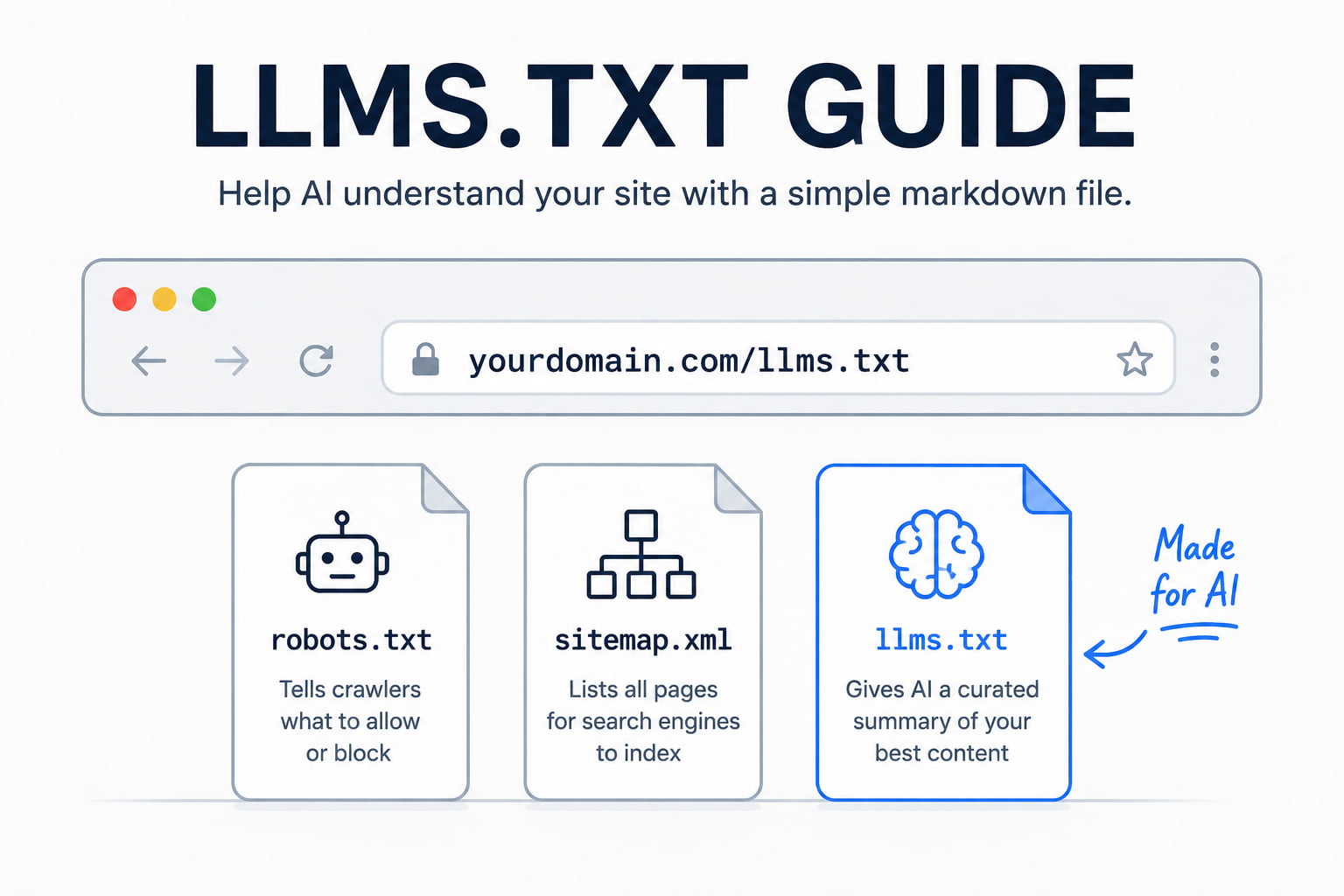
An llms.txt file is a plain markdown file at the root of your site that hands large language models a curated, concise map of your most important content. This guide is for agency owners and site operators who want a valid one live today, not another theory piece on AI search.
By the end you will have the exact format, a copy-paste example, a place to upload it, and a way to test that it works. If you manage 10 or more client sites, learn the format once and you can standardize it across all of them.
The standard was proposed by Jeremy Howard of Answer.AI in 2024 (the original proposal). It is young, but the format is fixed, so there is no guesswork involved.
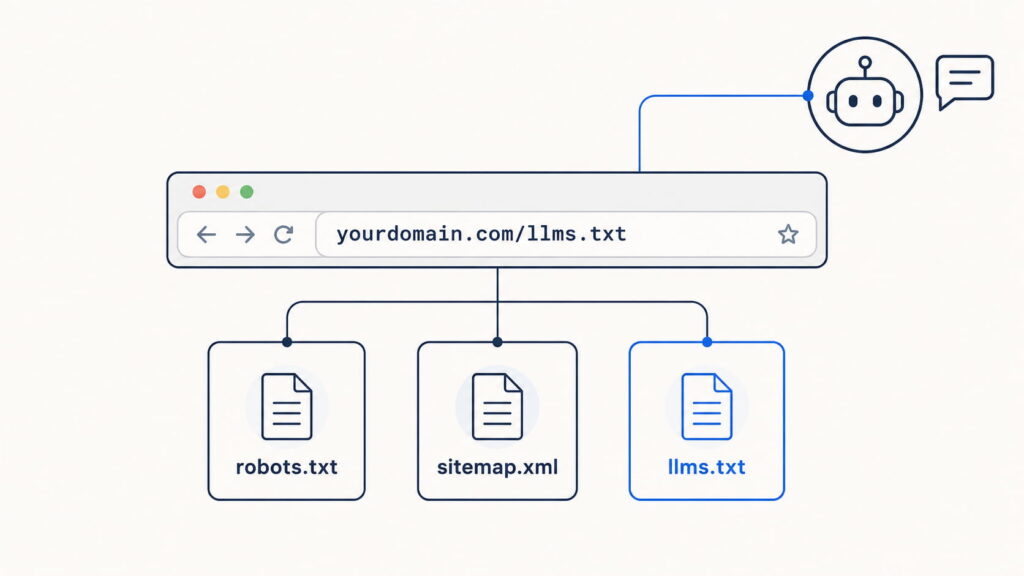
Caption: llms.txt lives at your domain root alongside robots.txt and sitemap.xml, but it serves AI a curated summary instead of crawl rules or a full URL index.
What is an llms.txt file?
An llms.txt file is a markdown document hosted at yourdomain.com/llms.txt that gives language models concise background on your site plus links to the pages that matter. Instead of forcing an AI to parse heavy HTML full of navigation, ads, and JavaScript, you hand it a clean, LLM-friendly summary of your best content.
The goal is AI discoverability: helping models find, interpret, and cite the right pages when someone asks about your business. It is not a way to block crawlers. That job belongs to robots.txt. llms.txt does the opposite. It invites AI in and points it at what you want read.
The format and rules come from the official specification at llmstxt.org, which is the source of truth for everything below.
llms.txt vs. llms-full.txt
llms.txt is the curated index: a short summary plus links with brief descriptions pointing to your key pages. llms-full.txt goes further and concatenates the full content of those pages into one markdown file, so an AI can load everything in a single pass.
Use llms.txt for large sites where a curated map is enough. Reach for llms-full.txt on documentation, where you want the entire text sitting in one place for an assistant to read directly.
llms.txt vs. robots.txt vs. sitemap.xml
These three files all sit at the root, but each solves a different problem. robots.txt controls access and tells crawlers what they may or may not fetch. sitemap.xml lists every URL for search-engine indexing. llms.txt is a semantic layer that prioritizes and describes your best content for AI to consume. It complements the other two. It does not replace them.
| File | What it controls | Who it is for |
|---|---|---|
| robots.txt | Access and crawling rules | Search and other crawlers |
| sitemap.xml | A full list of indexable URLs | Search engines |
| llms.txt | A curated, described set of your best content | LLMs and AI assistants |
What to include in an llms.txt file (the format)
An llms.txt file uses standard markdown and follows a specific order. That order is what makes the file both human-readable and machine-parseable, and it is what a generator or a plugin will produce for you. Before you write one, it helps to know each section and why it exists. Here is the exact llms.txt format defined by the spec.
The required and optional sections
The specification defines the following sections, in this order:
# Project/Site Name(H1): the name of the site or project. This is the only required field in the entire file.- A
>blockquote: a short summary of the site with the key information a model needs to understand the rest of the file. - Zero or more markdown sections: plain paragraphs or lists (no headings) that add detail or context notes.
## Sectionheadings (H2): each contains a markdown list of links in the format[name](url): description, grouping your best pages.- An
## Optionalsection: a special H2 whose links can be skipped when a shorter context is needed.
The ## Optional heading carries special meaning: everything under it is safe for a model to drop if it is working with a tight context window. Everything else is treated as core.
What to leave out
Curate hard. Leave out legal pages like privacy, terms, and cookie policies, which an AI will never cite. Drop outdated blog posts and anything thin or off-brand. When two pages cover the same thing, link only the best version, not the duplicates.
The rule: prioritize canonical pages and lead with the documentation you most want AI to quote. A short, sharp file beats a long one that buries your best pages under filler.
How to create an llms.txt file: 3 methods
There are three ways to create the file, depending on your technical comfort and the size of the site. Pick the one that matches how you work.
Method 1: Write it manually
Writing the file by hand gives you the most control and the highest quality, because you choose exactly which pages represent the client. For a small or medium site, do this:
- Open a plain-text editor and create a file named
llms.txt. - Write a single H1 with the site or project name.
- Add a
>blockquote summarizing the business in one or two concrete sentences. - Group your best links under
## Sectionheadings, each as- [Title](URL): short description. - Add an
## Optionalsection for secondary links a model can skip. - Save the file as
llms.txt.
Start with the 10 to 20 URLs you most want AI to cite. You can always add more later, but a tight first version is easier to maintain than a bloated one.
Method 2: Use an llms.txt generator
The fastest route is a generator. The flow is the same across tools: you paste your domain, the tool crawls the site, it produces an llms.txt (and often an llms-full.txt) that follows the spec, and you download the result.
Firecrawl offers a well-known web generator, LLMrefs provides another, and several SEO plugins include a generator inside their existing interface. Whichever you use, always review and clean the output. Generators tend to over-include, pulling in pages you would never hand to an AI, so treat the result as a first draft you prune around canonical content.
| Tool | Best for | Output |
|---|---|---|
| Firecrawl | Any website | llms.txt + llms-full.txt |
| LLMrefs | Any website | llms.txt |
| SEO plugin generators | WordPress sites | llms.txt (and often llms-full.txt) |
Method 3: Use a WordPress plugin
If your clients run WordPress, a plugin is the cleanest option at scale. Tools like Website LLMs.txt, the LLMs.txt and LLMs-Full.txt Generator, and AIOSEO generate the file and serve it from your site root automatically.
The advantage over a one-off generator is maintenance. These plugins regenerate the file when your content changes, so a new page or an updated post flows into llms.txt without you touching it. For an agency standardizing across many sites, that automatic refresh is what makes the file worth keeping.
llms.txt example you can copy
Here is a complete, valid file you can copy and adapt. It follows the spec exactly, using a fictional SaaS business so you can drop in any client.
# Northstar Analytics

> Northstar Analytics is a privacy-first web analytics platform for WooCommerce stores. This file indexes our product docs, setup guides, and API reference.

Northstar is a WordPress plugin, not a standalone dashboard. The API is read-only. For billing questions, use the support docs, not the API reference.

## Docs

- [Getting started](https://northstar.com/docs/start.md): Install and connect Northstar in five minutes
- [Configuration](https://northstar.com/docs/config.md): Every setting explained, with defaults
- [API reference](https://northstar.com/docs/api.md): Full endpoint and authentication reference

## Optional

- [Changelog](https://northstar.com/changelog.md): Release history since v1.0
- [Brand assets](https://northstar.com/brand.md): Logos and usage guidelines
To adapt it, change the H1 to the client’s name, rewrite the blockquote to describe their business in one specific sentence, and swap the links for their canonical pages. Keep every description short and informative, and reserve ## Optional for anything an assistant can safely ignore.
Where to upload your llms.txt file
Upload the file to the root of your domain so it resolves at https://yourdomain.com/llms.txt, the same location as robots.txt. It must be publicly accessible and served as plain text or markdown, not as a rendered HTML page.
You have three common ways to get it there. Use your hosting File Manager to drop the file into the site’s root or public folder. Use an FTP client like FileZilla to upload it to the same root directory. Or, on WordPress, let a plugin place and serve it for you.
Across a mixed stack of client sites, the plugin route is the one that scales, since it handles placement and updates without a manual upload per site.
How to test that your llms.txt file works
Testing is the step most guides skip, and it is the one that tells you whether the file does anything. Run these four checks:
- Visit
yourdomain.com/llms.txtin a browser and confirm it loads as plain text, not a styled HTML page. - Validate the markdown: the H1 is the first line, and every link resolves.
- Test comprehension by pasting the file into ChatGPT, Claude, or Perplexity, or asking each about your site, to see whether it interprets your content correctly.
- Check your server logs to see whether AI crawlers are actually requesting the file.
If the models answer thinly or wrongly, your descriptions or link choices need work. If nothing requests the file, that is useful signal too, and it leads to the next question.
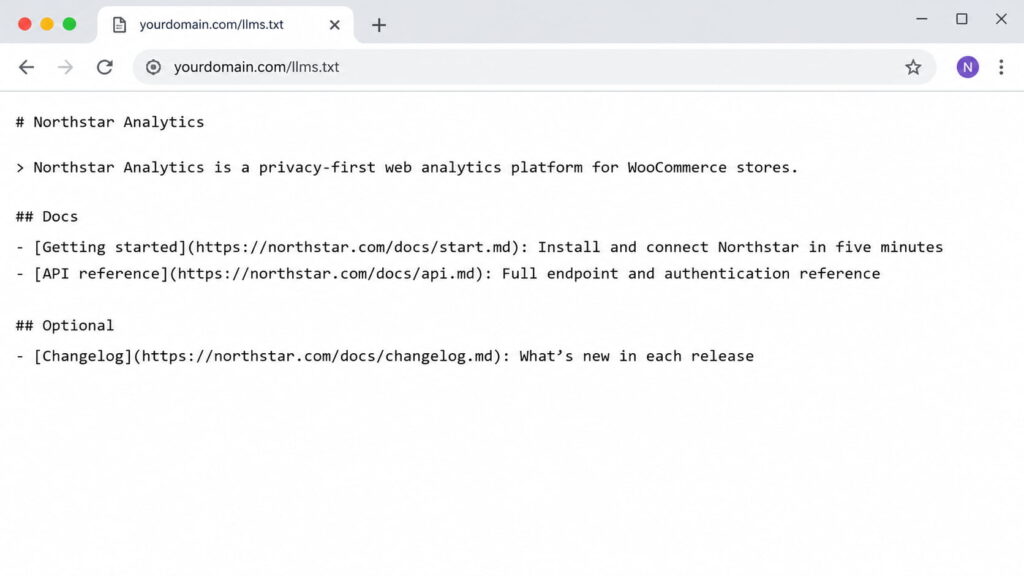
Caption: A correctly served llms.txt loads as raw plain-text markdown at your domain root, not as a styled web page. This is the first check to run per site.
Does llms.txt actually work in 2026?
Here is the honest answer, since plenty of guides inflate this. Adoption is real but small: roughly 10% of domains have an llms.txt file, and the number is growing (SE Ranking’s analysis of 300,000 domains). Google has publicly confirmed it does not use llms.txt for crawling, indexing, or training, with John Mueller comparing it to the old keywords meta tag (Search Engine Roundtable). No major AI company has published that it formally weights the file either.
The fair framing: llms.txt is a low-risk, low-cost signal, much like schema.org markup in 2014. Back then structured data was not mandatory and not universally honored, but early adopters were ahead when it became expected. llms.txt sits in that same window now.
So it is worth creating, especially on documentation-heavy and SaaS clients, but do not expect miracles or a ranking bump. Treat it as a cheap hedge, decided client by client, not a growth lever, and keep the rest of your AI search optimization doing the heavy lifting.
Level up: pair llms.txt with structured data
An llms.txt file tells AI what to read. Structured data, meaning schema markup for AI search in JSON-LD, tells AI what your content means. Together they maximize how well AI engines understand and cite your pages: one hands over the map, the other labels what is on it.
Writing JSON-LD by hand across 10 or more client sites does not scale. Schemafy, a WordPress schema plugin, automates that markup so you can generate JSON-LD schema and deploy structured data for AEO without writing code, then validate your structured data before it ships.
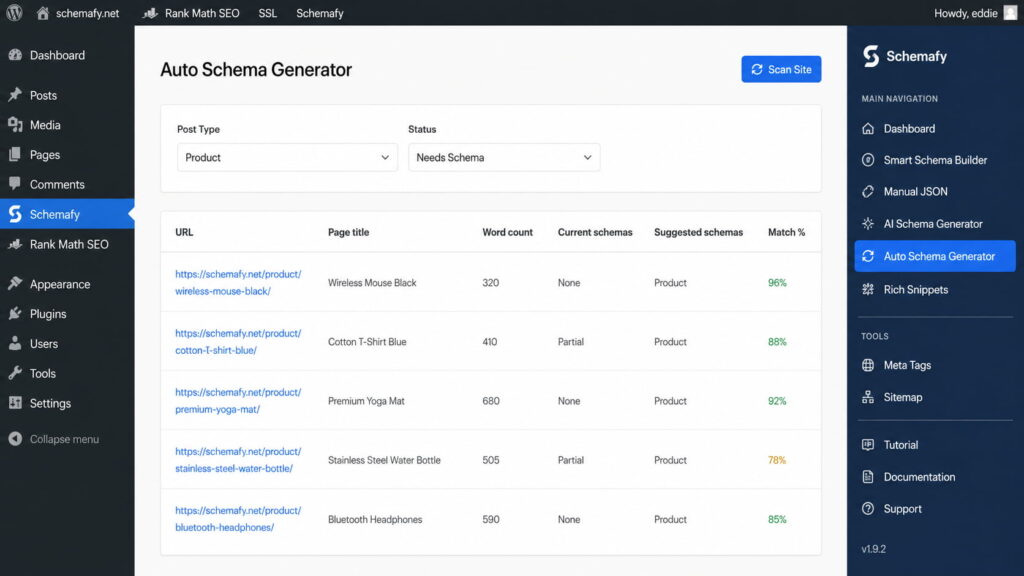
Caption: A schema plugin can auto-detect and generate JSON-LD across a WordPress site, so structured data ships at scale while your llms.txt handles the curated index.
Frequently asked questions
A few quick answers to the questions that come up most when teams roll out llms.txt.
Is llms.txt required?
No. llms.txt is a voluntary, proposed standard, not required by any search engine or AI provider. As of 2026, only about 10% of domains have one. But because it is low-effort and low-risk, many sites add it early as a signal for AI discoverability, similar to how schema markup was adopted.
Does Google use llms.txt?
No. Google has publicly confirmed it does not read or rely on llms.txt for crawling, indexing, or AI training. The file is aimed at LLM-based tools like ChatGPT, Claude, and Perplexity at inference time, not at Google Search. Use robots.txt and sitemaps for traditional SEO, and remember that on-page signals still matter more than any single file, such as whether meta descriptions are a ranking factor.
Where do I put the llms.txt file?
Place it in your site’s root directory so it is reachable at https://yourdomain.com/llms.txt, the same location as robots.txt. Upload it via your hosting File Manager, an FTP client like FileZilla, or a WordPress plugin that serves it automatically.
What’s the difference between llms.txt and llms-full.txt?
llms.txt is a curated index of links with short descriptions pointing to your key pages. llms-full.txt concatenates the full content of those pages into one markdown file, so an AI can load everything at once. Use llms.txt for large sites, llms-full.txt for documentation.
How often should I update llms.txt?
Update it whenever you publish, remove, or significantly change priority pages. Many WordPress plugins regenerate it automatically on content changes. For manual files, review it quarterly and after any major site restructure to keep the links accurate.
Does your site already have Schema Markup?
Generate structured data by template, with AI or in bulk, and verify it with Google's Rich Results Test — all from WordPress, no code.
- ✓ 16 schema types
- ✓ Free plan, forever
- ✓ Keeps Yoast / Rank Math
Eddie Casas built the first version of Schemafy himself, rough and vibe-coded, to fix a problem he kept hitting in his own SEO work: structured data that took too long to do right. Once the idea proved out, he brought in engineer Fabián Tinjacá to rebuild it into the plugin it is today. He now leads growth, SEO and content at Schemafy, and runs QA on every release before it ships. He is also the founder of TheBaseo, an SEO and AEO agency, so the playbooks on this blog are the ones he runs on real sites, not theory. His take: most schema advice online is written by people who have never had to apply it across hundreds of live pages. Eddie writes for the operator who has.